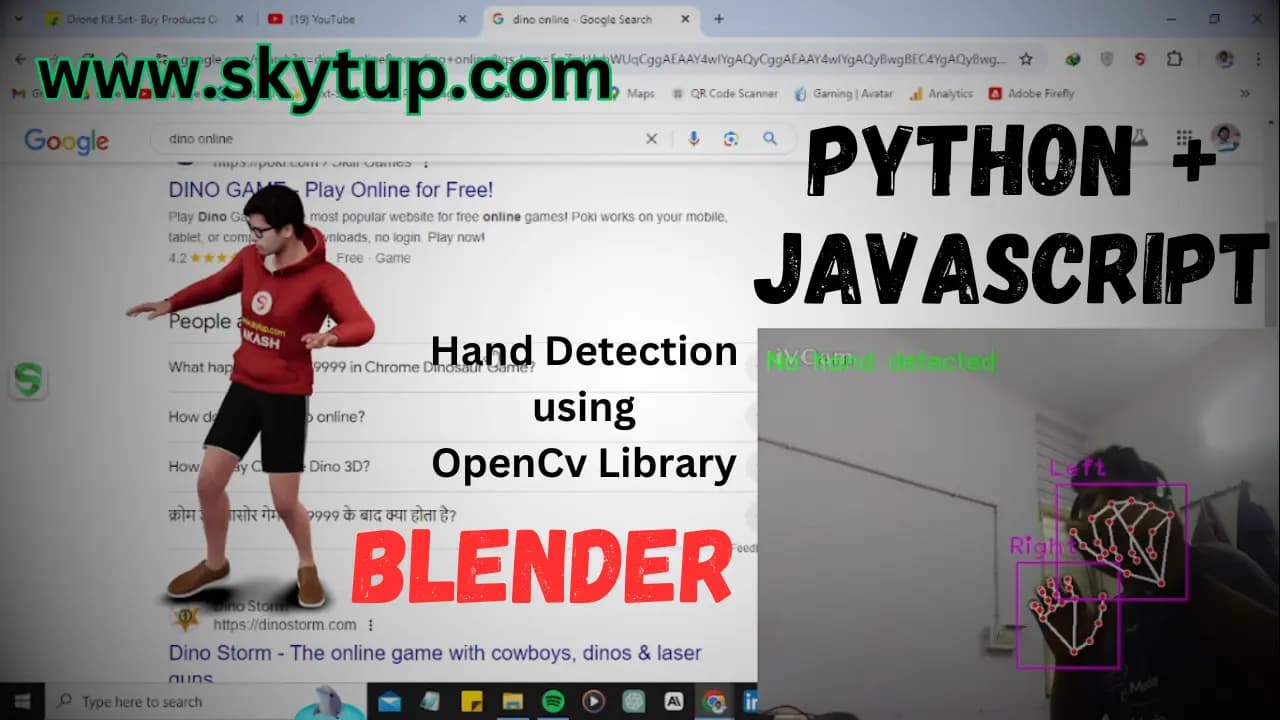
Hand Gesture Control Using OpenCV and Cvzone | Python Project by Akash Vishwakarma
In this article, we will learn how to control keyboard keys in real time using a webcam and hand gestures. By detecting specific hand gestures, we can trigger keyboard shortcuts automatically. This project is built using Python, OpenCV, and the cvzone library, which internally uses MediaPipe for hand tracking.
Prerequisites
Before starting, make sure the following tools and libraries are installed on your system:
- Python – Download and install from the official Python website.
- OpenCV – Used for webcam access and image processing.
- cvzone – A helper library built on top of OpenCV and MediaPipe for easy hand tracking.
- keyboard – Used to simulate keyboard key presses.
Setting Up the Environment
Install the required Python libraries using the following commands:
pip install opencv-python pip install cvzone pip install keyboard
Understanding the Code
The program captures video frames from your webcam, detects hands, identifies finger positions, and triggers keyboard keys based on predefined gestures.
Importing Required Libraries
import cv2
import cvzone
from cvzone.HandTrackingModule import HandDetector
import keyboard
- cv2 handles webcam input and display.
- HandDetector detects hands and finger states.
- keyboard simulates real keyboard key presses.
Webcam and Hand Detector Initialization
cap = cv2.VideoCapture(1)
detector = HandDetector(detectionCon=0.8, maxHands=2)
VideoCapture(1)selects the webcam. Use0if you have only one camera.detectionCon=0.8sets hand detection confidence.maxHands=2allows tracking both hands simultaneously.
Detecting Hands and Finger States
if hands:
for hand in hands:
handType = hand["type"]
fingers = detector.fingersUp(hand)
- The code checks if any hands are detected.
hand["type"]returns Left or Right.fingersUp()returns a list of five values (1 = finger up, 0 = finger down).
Keyboard Control Using Gestures
Left Hand Gesture
if handType == "Left":
if fingers == [1, 1, 1, 1, 1]:
keyboard.press_and_release('f8')
When the left hand is fully open (all five fingers raised), the program presses and releases the F8 key.
Right Hand Gesture
if handType == "Right":
if fingers == [1, 1, 1, 1, 1]:
keyboard.press_and_release('space')
When the right hand is fully open, the Space key is pressed and released.
Displaying Gesture Status
cv2.putText(img, gesture_status, (10, 50),
cv2.FONT_HERSHEY_SIMPLEX, 1, (0, 255, 0), 2)
cv2.imshow("Hand Gesture Control", img)
putText()shows gesture feedback on the screen.imshow()displays the live webcam feed.
Exit Condition
The loop runs continuously until the Q key is pressed:
if cv2.waitKey(1) & 0xFF == ord('q'):
break
Running the Program
Run the script using:
python hand_gesture_control.py
Show your hands to the webcam and perform the gestures. The assigned keyboard keys will be triggered automatically. Press Q to exit.
Conclusion
This project demonstrates how computer vision can be used to control keyboard input using hand gestures. You can extend this system by adding more gestures, different key mappings, or even controlling applications and games.
Full Source Code
import cv2
import cvzone
from cvzone.HandTrackingModule import HandDetector
import keyboard
# Initialize the webcam
cap = cv2.VideoCapture(1)
detector = HandDetector(detectionCon=0.8, maxHands=2) # Allow detecting both hands
# State variables to track the current gesture states
left_hand_one_finger_raised = False
right_hand_open = False
while True:
# Get the frame from the webcam
success, img = cap.read()
if not success:
break
# Detect hands
hands, img = detector.findHands(img)
# Initialize gesture status
gesture_status = "No hand detected"
if hands:
for hand in hands:
handType = hand["type"] # 'Left' or 'Right'
fingers = detector.fingersUp(hand)
if handType == "Left":
# Check if only the index finger is raised
if fingers == [1, 1, 1, 1, 1]: # Index finger raised
if not left_hand_one_finger_raised:
keyboard.press_and_release('f8')
gesture_status = "Left hand - One finger raised - F8 pressed and released"
left_hand_one_finger_raised = True
else: # No fingers or multiple fingers raised
left_hand_one_finger_raised = False
if handType == "Right":
# Check if the hand is open
if fingers == [1, 1, 1, 1, 1]: # Open hand
if not right_hand_open:
keyboard.press_and_release('space')
gesture_status = "Right hand - Hand open - Space pressed and released"
right_hand_open = True
else: # Hand is closed or other gesture
right_hand_open = False
# Display gesture status on the frame
cv2.putText(img, gesture_status, (10, 50), cv2.FONT_HERSHEY_SIMPLEX, 1, (0, 255, 0), 2)
# Display the frame
cv2.imshow("Hand Gesture Control", img)
# Break the loop if 'q' is pressed
if cv2.waitKey(1) & 0xFF == ord('q'):
break
# Release the webcam and close windows
cap.release()
cv2.destroyAllWindows()